




Payment
Wallet Address For Payment
Crypto Web Wallet
Crypto Web Wallet:
[ BNB, BTC, USDT, LTC, ETC ]
0x4d6007387e2c889e2fcc92c8e6ddfddb57809c57
Network: BSC, BEP20
BTC Address:
147emX6o8ivjGYwdmzhNEQkPUpfEULjRdB
Network: Bitcoin (BTC)
USDT Address:
Network: Tron, TRX20
LTC Address:
LdMjFtLJiUfSHVM8HMapWSgv7dJADaoouB
Network: Litecoin (LTC)
How to Payment via BINANCE PAY
Step 1
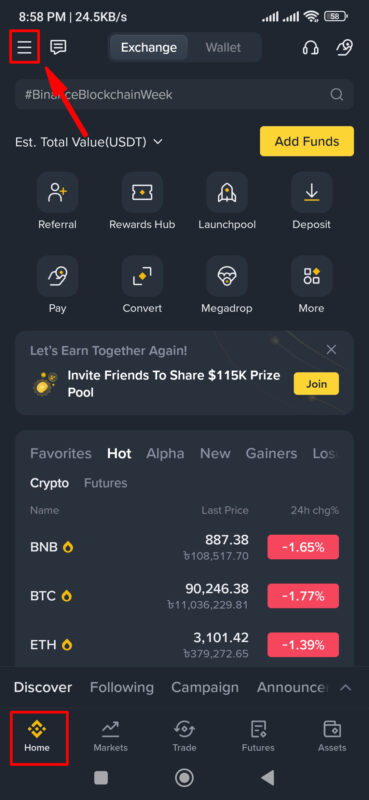
- Open the Binance application’s Home Interface.
- Click Top-Left corner 3 Line/Dot icon for the next step.β
Step 2
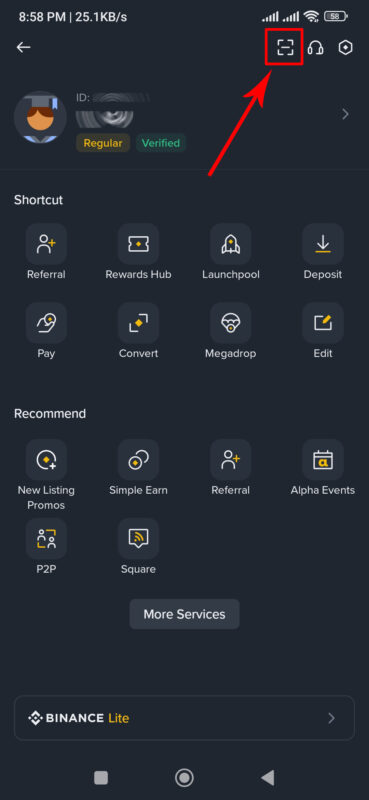
- Click the Top-Right corner Scanner icon for the next step.
Step 3
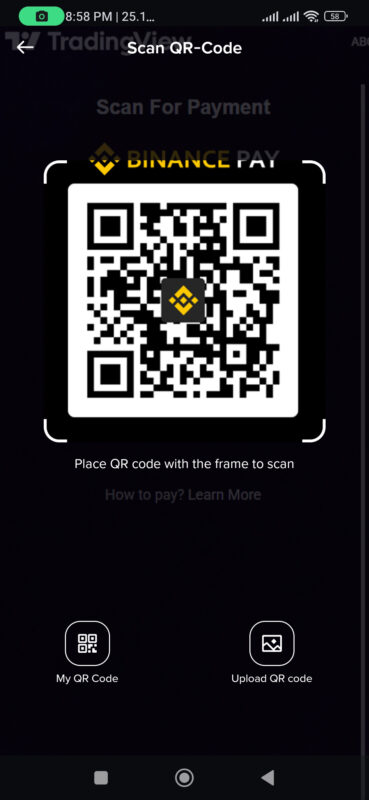
- Scan the BINANCE PAY QR code for the next step.β
Step 4
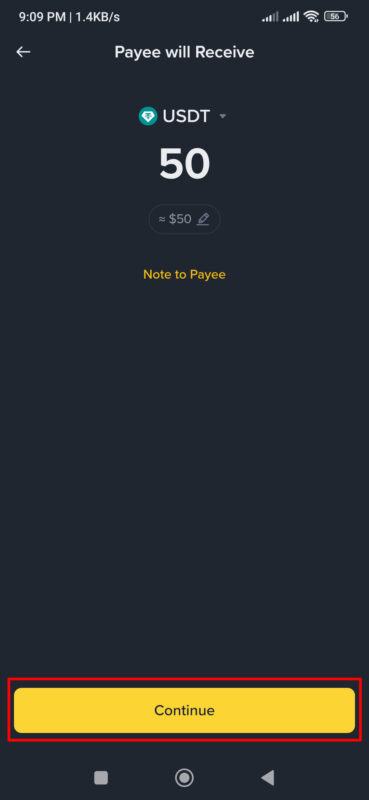
- Enter/Type 50 USDTΒ in the amount section
- Click the Continue button for the next step.β
Step 5
- Click the Confirm button for the next step.
Step 6
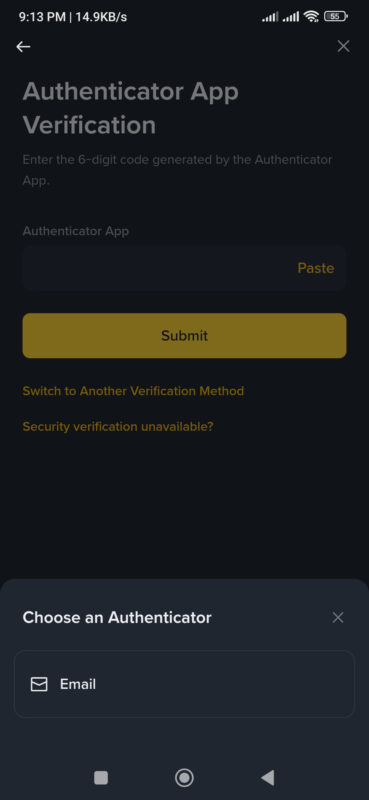
- Confirm your authenticity and click theΒ Submit Button.
βHere, you need to verify that you are the owner of this Binance account/wallet. Here are multiple verification methods. You can choose the one that makes you feel most comfortable.β
Step 7
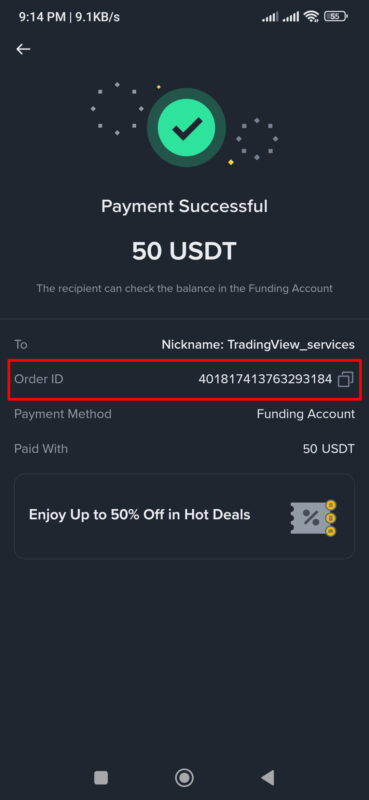
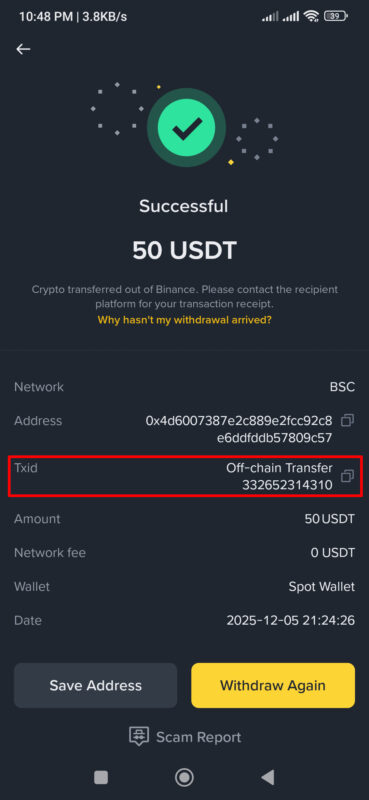
- Tap this COPY icon ( β ) and copy your Order ID number, and take a Full-Screen Screenshot for submission.
And done, your payment process is completed.
Step 8
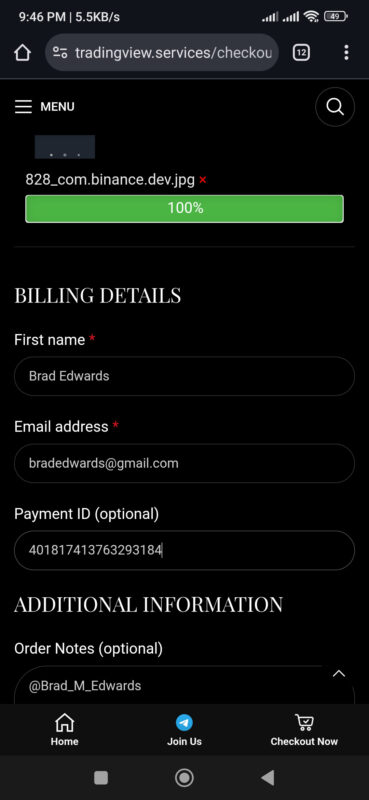
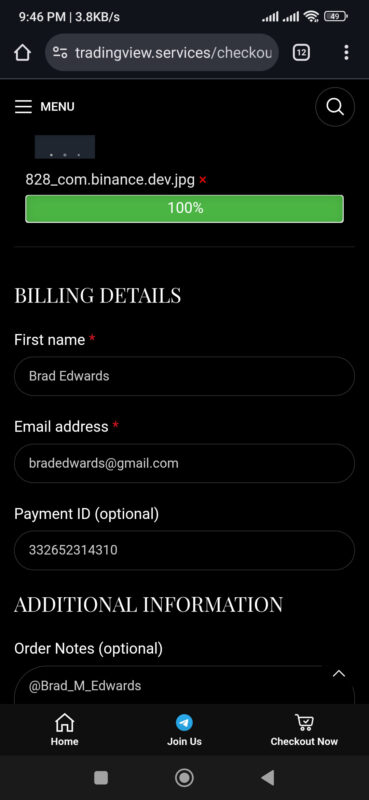
Come back to our Website and open the Checkout Page.
- Upload your payment Screenshot,
- Enter your Name,
- Enter your Email Address,
- Enter the Order ID on the Payment ID
- Enter your Telegram User Name in the Note.
How to Payment via Crypto Wallet
Step 1
If you open the Binance application’s Home Interface –
- Click the Pay button for the next step.β
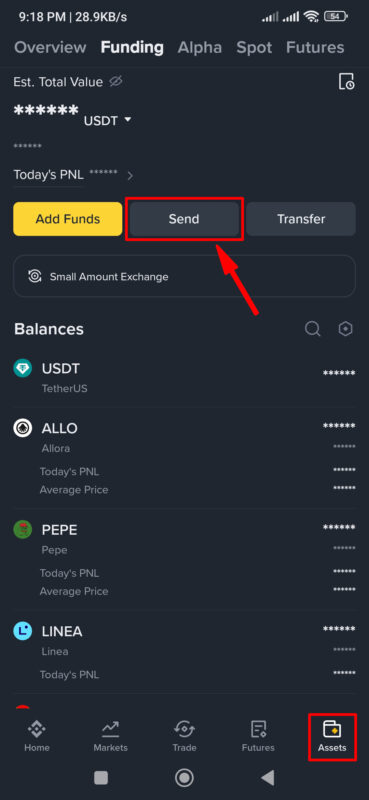
If you open the Binance application’s Assests Interface –
- Click the Send button for the next step.β
Step 2
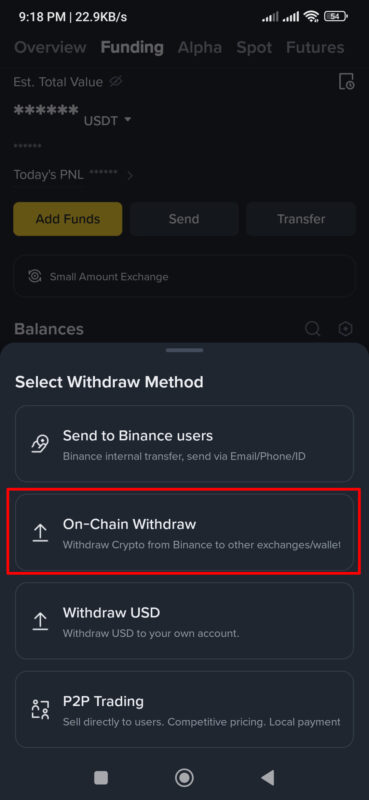
- Select Send On-Chain or On-Chain Withdraw option for the next step.
Step 3
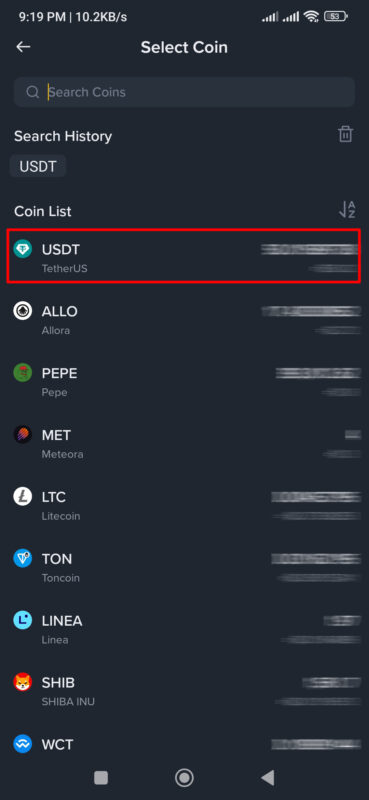
- Select your assets Crypto Coin (ex: USDT, BTC, ETC, LTC)Β for the next step.
βIf you don’t see your coin, then you can search for this coin on Search Ber.
Step 4
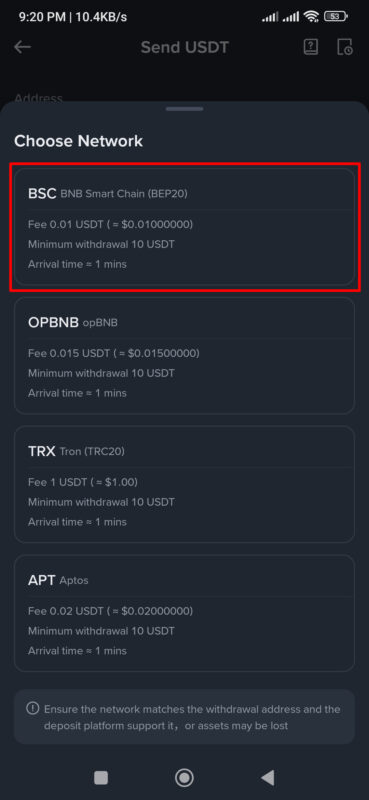
Select Crypto Network:
- BSC, BEP20 (Recommended)
- Tron, TRX20
- Bitcoin
- Litecoin
Step 5
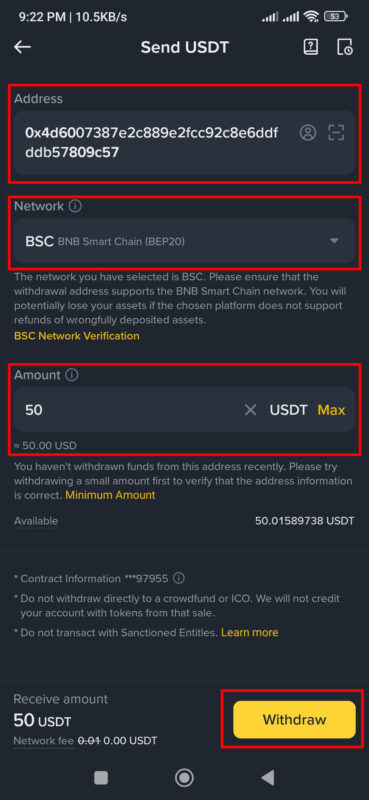
- Copy the Wallet Address from our Website and Paste it into the Address.
- Choose the correct Network from the Network dropdown.
- Enter/Type 50 USDT in the amount section.
- Click the Withdraw button for the next step.β
Step 6
- Click the Confirm button for the next step.β
Step 7
- Confirm your authenticity and click the Submit button.
βHere, you need to verify that you are the owner of this Binance account/wallet. Here are multiple verification methods. You can choose the one that makes you feel most comfortable.β
Step 8
- Tap this COPY icon ( β§ ) and copy your Order ID number, and take a Full-Screen Screenshot for submission.
And done, your payment process is completed.
Step 9
Come back to our Website and open the Checkout Page.
- Upload your payment Screenshot,
- Enter your Name,
- Enter your Email Address,
- Enter the Order ID on the Payment ID
- Enter your Telegram User Name in the Note.